


Crop, Trim Video Editor
4.6112.00 Reviews
App Specs
- Version
- 1.2.7
- Updated On
- License
- Free
- Downloads
- 1,000,000+
- Developer
- Eco Mobile Editor
- Categories
- Video Players & Editors
- Platform
- Android
Screenshots
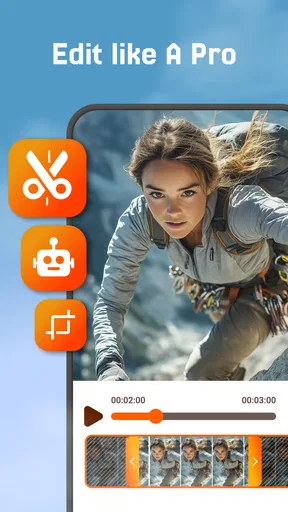
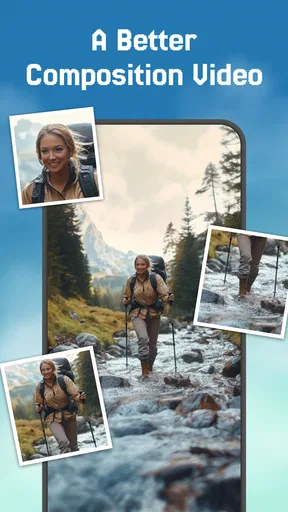
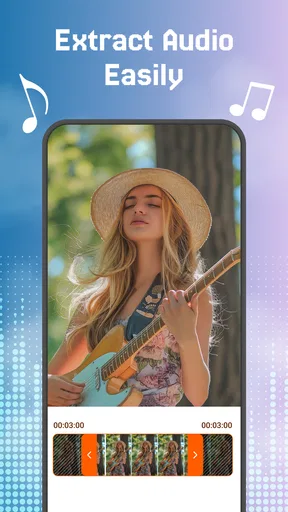
 Analysis by AppCompare
In a household where several people use the same phone or tablet, video editing often comes down to small, practical jobs: shortening a school performance clip, framing a recipe video, or removing the shaky seconds before a family greeting. Crop, Trim Video Editor is aimed at that kind of quick fix. I’d consider it when someone wants to tidy a clip without turning a casual task into a full editing project, while keeping in mind that shared-device habits matter as much as the editor itself.
A useful role for a shared device
The app’s appeal is its narrow, approachable purpose. One person can select a clip, adjust its length or framing, and leave the phone ready for the next person. That is a more comfortable fit for occasional household editing than a large creative suite with a steep learning curve and many tools to learn. It is still worth agreeing on whose video is being edited before making changes, especially when several people keep personal footage in the same gallery.
A realistic example: after recording a birthday greeting, I might cut off the awkward pause at the beginning and crop out distracting space at the edge of the frame. The useful habit is to watch the beginning and end of the result before sharing it. A trim can make a clip feel intentional, but a rushed adjustment can also remove the moment someone meant to keep. I would preserve the original until I was sure the edited copy was the one I wanted.
Keep editing boundaries clear
On a shared phone, the main boundary is practical rather than technical: be clear about which source clip is being changed and where the finished version should go. I would ask before editing someone else’s recording, and I would avoid leaving a personal video open for the next user. These are simple steps, but they help prevent confusion when a device is passed between family members.
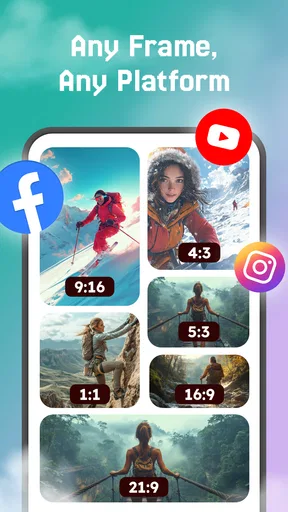
It also helps to treat cropping and trimming as separate decisions. First decide what must remain in the story, then decide what the frame should emphasize. If a clip is being prepared for a vertical social post, cropping may make the subject easier to see but can cut off people or details near the edges. For a video intended to be watched on a television or kept as a family record, preserving the original framing may matter more than making it fit a particular feed.
What to expect from the app
As a video editor from Eco Mobile Editor, it sits in the everyday Video Players & Editors space rather than the professional post-production market. Its store summary points to cropping, trimming, audio extraction, and video-quality enhancement, which gives it a practical focus for phone-based jobs. I would not choose it as a substitute for a desktop editor when a project needs a detailed timeline, layered sound, precise color work, or a carefully controlled export process.
The app is free to install, though in-app purchases range from $2.99 to $48.00 per item. That makes it sensible to try the basic workflow before deciding whether any paid option is worth considering. I would check the purchase screen carefully on a shared device and avoid approving a transaction casually. The current version is 1.1.8, and it requires Android 8.0 or later; those details are useful when deciding whether an older household phone can run it.
Worth Reading Before You Choose

EA SPORTS FC Mobile 26 Is a Bigger Football Game, but It Takes Time

Flipboard Shows What News Apps Must Do Beyond the Feed

Switching to Android Auto Means Rethinking Your Driving Routine

Google Calendar Makes a Crowded Week Easier to Manage

Ludo King Makes the Most of the Minutes Between Plans

Baby Panda World Brings Quick Play to Modern Phones, but Its Game Library Feels Busy
Age, trust, and everyday judgment
Its content rating is Everyone, so the app itself is presented as suitable for a broad age range. That does not mean every video is appropriate to share, or that younger users should be left to make publishing choices without guidance. I would show a child how to keep a copy of an original and ask before posting footage that includes other people. The editor can help shape a clip; it cannot make the social decision on the user’s behalf.
For families, the most useful coordination is agreeing on a simple routine: identify the source video, make the edit, review it together if it includes someone else, and then save or share the intended version. I would not assume that a shared device creates separate personal workspaces. Instead, treat the gallery as shared household space and be considerate about what remains visible or gets passed along.
Who will get the most from it
I think the strongest fit is someone who regularly records short clips and wants a direct way to remove dead time or improve the composition before sending them to friends. It can also suit a relative who is comfortable choosing a video but does not want to learn a complicated editor just to make one small change. If the main task is extracting audio or improving a clip’s quality, those are also part of the app’s stated focus, though I would judge the result on the actual footage rather than expect every source video to become dramatically better.
On the other hand, I would steer a frequent creator toward a more capable editor if they need to arrange many clips into a story, synchronize narration, add detailed titles, or repeatedly match a specific format. A phone’s built-in editing tools may be enough for a single basic trim, while a broader editing app is a better choice for a polished multi-scene project. The trade-off is convenience versus control: this app makes more sense when the job is modest and clearly defined.
How I would avoid common editing mistakes
One helpful workflow is to decide the intended destination before cropping. A close crop can make a face or object stand out on a small screen, but it may leave too little room if the video is later watched in a wider format. I would keep important people and action away from the very edges, then review the full clip rather than judging the crop from a single paused frame. That small check can prevent a useful detail from disappearing during movement.
For trimming, I would make a first pass to remove obvious dead time, then replay the transition at the new start and end points. Short clips can feel abrupt if a sentence, gesture, or reaction is cut too tightly. When the footage matters, I would work from a duplicate if available or keep the untouched source until I had confirmed the result. This is especially worthwhile when several people share a device and someone else may later want the original version.
Audio extraction and quality enhancement can be useful for different reasons, but they are not interchangeable fixes. Pulling out audio is relevant when the sound is what someone wants to keep; enhancing video quality is more relevant when the picture needs attention. Neither should be treated as a guarantee that a noisy recording, poor lighting, or muffled speech will turn into studio-quality material. I would test these tools on a short, unimportant clip first and decide whether the outcome actually helps.
Where it fits among alternatives
Compared with the basic editor already included on many phones, a dedicated app can be appealing when its particular crop-and-trim workflow feels clearer or when its additional audio and enhancement tools match the task. The built-in option remains a reasonable choice for a one-off cut if it already does what you need and you would rather not install anything else. For a creator who wants templates, layered tracks, fine-grained transitions, or a more involved assembly process, a fuller mobile editor is the more natural alternative.
I would not choose an app solely because it has more buttons. For a shared family device, an editor that is easy to understand can reduce the chance that someone makes an elaborate change they cannot reproduce. But simplicity has a ceiling: once a project depends on arranging many shots or revising timing repeatedly, a more advanced timeline becomes worth the extra learning. The right choice depends on whether the task is a quick correction or a piece of deliberate storytelling.
First Impressions
When you first open the Crop, Trim Video Editor, you're greeted by a clean, intuitive interface. No over-the-top graphics or distracting elements here—just a straightforward design that makes it super easy to get started. I appreciate that because, honestly, who has the time to navigate through a complicated app just to trim a video?
Getting Down to Business
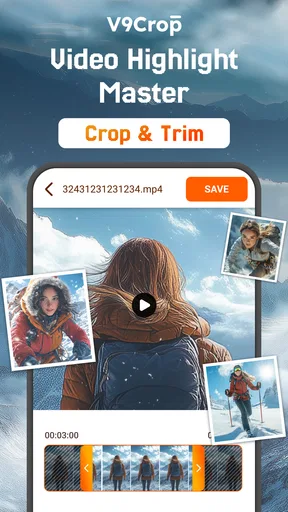
The app offers a variety of features that cater to both beginners and more experienced video editors. The main attractions are the crop and trim functions, which are incredibly easy to use. You can simply select your video, drag the sliders to trim unwanted parts, and voila! Your video is a shorter, more focused version of its former self.
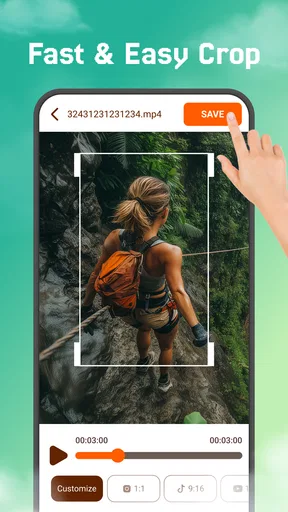
One thing I noticed right away is how smooth the trimming process is. No lagging or crashing, which is a blessing when you’re trying to make quick edits on the go. The crop function is equally user-friendly, allowing you to adjust the frame to highlight exactly what you want your viewers to see.
More Than Just Trimming
But wait, there's more! The app isn't just about cropping and trimming. It also offers a range of editing tools that let you adjust video speed, add music, and apply filters. The music library is surprisingly diverse, so whether you're looking to add a chill background tune or something more upbeat, you'll likely find something that fits.
Filters are a fun addition too. While they might not be as extensive as those in some dedicated photo apps, they do the job when you want to give your video an extra pop of color or mood. And honestly, a little filter magic never hurt anyone, right?
Performance and Usability
Performance-wise, the app runs smoothly on both Android and iOS. I tried it on my aging Android device, and it worked like a charm, which is not something I can say about all video editing apps. It seems well-optimized to handle HD videos without hiccups.
Usability is key here. The app doesn't overwhelm you with options but instead focuses on doing a few things really well. That’s refreshing in a world where apps often try to do too much and end up being a jack-of-all-trades, master of none.
Sharing Made Simple
Once you're happy with your masterpiece, sharing it is a breeze. The app supports direct uploads to social media platforms like Instagram and Facebook, which is a huge plus for those of us who want to flaunt our video editing skills without jumping through extra hoops.
There's also an option to save videos directly to your device, so you can keep a library of edited clips ready to share whenever you need.
Final Thoughts
Overall, the Crop, Trim Video Editor is a must-have for anyone who regularly shoots videos on their phone. It's straightforward, efficient, and packed with enough features to satisfy most casual users. Sure, it might not have all the bells and whistles of a professional editing suite, but for quick edits and polished results, it’s pretty hard to beat.
If you're looking for a reliable app to make your video editing life easier, this might just be your perfect match. Give it a shot, and you might find yourself spending less time editing and more time enjoying the moments you capture.
A grounded household verdict
The app has an average rating of 4.2 from around 14,000 ratings, with over 1 million installs and 73 written reviews. Those figures suggest plenty of people have tried it, but I would still treat them as context rather than proof that every tool will suit a particular clip. For me, the deciding test is whether the crop and trim controls make the job quicker without sacrificing the original video or the framing I care about.
Overall, I’d recommend it to a household member who wants uncomplicated edits and is comfortable checking a result before sharing it. I’d skip it for complex, multi-part production or when a phone’s existing editor already handles the occasional cut just fine. Its Everyone age rating makes the app broadly approachable, but good shared-device habits—clear permission, careful review, and sensible purchase decisions—remain part of using any editor well.
Pros
- Intuitive interface
- easy to navigate.
- Supports multiple video formats.
- Quick export with no quality loss.
- Includes advanced editing tools.
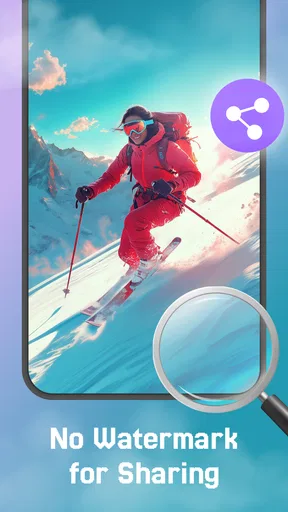
- No watermark on exported videos.
Cons
- Ads can be intrusive at times.
- Limited free version features.
- May occasionally crash on older devices.
- In-app purchases can be costly.
- Requires internet for certain features.
FAQs for Crop, Trim Video Editor
What are the main features of Crop, Trim Video Editor?
Crop, Trim Video Editor offers a range of features including easy video cutting, cropping, merging, and resizing. Users can also adjust video speed, add music, and apply filters and effects to enhance their videos. The app supports a variety of video formats, making it versatile for different editing needs.
Is Crop, Trim Video Editor free to use?
The app offers a free version with basic editing features. However, to unlock advanced tools and remove ads, users can opt for a premium subscription. This subscription typically includes additional effects, transitions, and export options without watermarks.
How user-friendly is Crop, Trim Video Editor for beginners?
Crop, Trim Video Editor is designed with a user-friendly interface, making it accessible for beginners. It includes guided tutorials and intuitive controls, allowing users to easily navigate and apply edits. The app's layout is straightforward, ensuring a smooth editing experience for those new to video editing.
What devices are compatible with Crop, Trim Video Editor?
Crop, Trim Video Editor is available for both Android and iOS platforms. It is compatible with most smartphones and tablets that meet the minimum OS requirements. Users should ensure their device is updated to the latest software version for optimal performance.
Can I export videos in high quality using Crop, Trim Video Editor?
Yes, Crop, Trim Video Editor allows users to export videos in high resolution. The app supports various output formats, including HD and 4K, depending on the device's capabilities. Premium users can access additional export settings to further enhance video quality.


